





Hello again, and welcome back to Fast Company’s Plugged In.
Before we go any further, an invitation: On Thursday, April 23, at 1 p.m. ET, my colleague Jared Newman and I will be cohosting “The AI Productivity Playbook: A Practical Guide to Working Smarter,” a livestreamed event exclusively for Fast Company subscribers. We’ll highlight the AI work tools we find actually useful and share advice on how to get the most out of them. You can RSVP here. And if you have any questions or tips related to our topic, I would love to hear them.
Over a lifetime of writing, I have used more word processors than I can count. Long-defunct obscurities such as Scripsit and Pfs:Write. Quip, which still exists but has been running on fumes for years. Microsoft Word and Google Docs, which will surely outlive us all.
But I started using my favorite word processor of all time just six weeks ago. I acknowledge that I may be a tad biased: I vibe-coded it myself. Anthropic’s Claude Code did all the programming, based on my ideas, instructions, and questions.
I call my web-based word processor Doolee Write—a nod to Doolee, the note-taking software I conjured up a year ago. At first, I wasn’t positive that trying to get it up and running wasn’t the equivalent of deciding to design my own car on a whim. (Insert your own Homer Simpson reference.) But within a couple of nights of furious Claude sessions, the essential features had come into place. Then I thoughtfully added more elements until my wish list had been exhausted.
For now, at least, I am Doolee Write’s sole user. But I’ve already forgotten what the Before Times were like. By my wholly unscientific estimate, I’m about 20% more productive since I started writing in it—and 250% happier.
Why construct a word processor when the world already has more of them than it knows what to do with? I had one simple reason: It was the only way to get one that felt like it was made for me.
My writing projects tend to involve supplementary materials such as transcripts. I start typing with only a rough idea of what I want to say, and appreciate help organizing my thoughts and shuffling stuff around. I appreciate tools for maintaining focus. And most of what I create is full of hyperlinks and ends up being published online in WordPress.
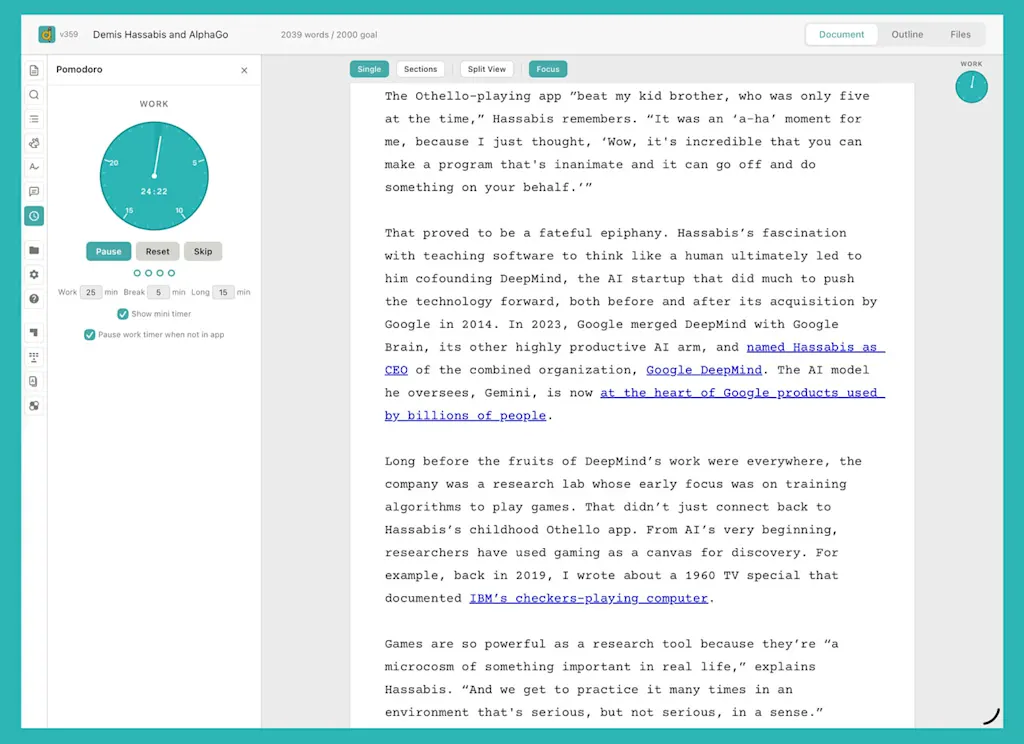
Microsoft and Google are never going to design a word processor for that specific scenario. But it turned out that it wasn’t all that hard. Doolee Write documents support bundled extras such as text files, PDFs, and audio recordings. There’s a built-in outliner that excels at wrangling documents made up of many small chunks, such as my recent oral history of Apple’s earliest years. I find the Pomodoro time management system—which I learned about in a 2015 Fast Company article—invaluable for keeping me focused, so I built it in. My functionality for embedding links and copying text as HTML are much nicer than those in any off-the-shelf package I know.
I even found room for four mini-games—riffs on Tetris, Breakout, blackjack, and Othello—because, well, I could. (I figure that if I’m going to be distracted from work, it’s best to stay within the confines of the app.)
To be sure, some of what I came up with is available elsewhere. I certainly drew inspiration from Scrivener, a writer’s word processor I once cherished, though its iPad version has barely changed in a decade and desperately needs an update. By making my own DIY word processor, I was able to pick and choose my favorite features and put everything exactly where I want it. It feels like I’m finally wearing my own clothes after a life in ill-fitting hand-me-downs.
A few more of the lessons I’ve gleaned from this experience so far:
AI is great—when it’s your AI, your way
Word and Docs share an oppressively thirsty approach to AI, which they shove in your face by making document summarization the single most prominent feature in their interfaces. For me, it’s wholly superfluous: In most cases, when I load a document I already know it cold, because I wrote it.
But I’m hardly opposed to AI on principle. My word processor has a NotebookLM-like research tool, a Grammarly-style writing coach, and Otter-esque transcription—all of which were remarkably easy to set up via API access. They’re a click away when I want them, and otherwise out of my business. That’s how I think most productivity-oriented AI should be.
Lack of features is a beautiful thing
Virtually any word processor extant would trounce Doolee Write in a checklist of supported features. For instance, it omits all sorts of theoretically standard formatting options, such as the ability to insert images—not because I couldn’t figure out how to implement them, but because I don’t need them right now. It never quite dawned on me how distracting unused features are until I jettisoned all of them.
I can be more innovative than the big guys
Microsoft and Google have every incentive to keep their products reassuringly familiar to the masses. That’s why Word has been largely frozen in time since adopting its “Ribbon” toolbar design 20 years ago. Docs, which looks like Word did in the 1990s, is even more antediluvian.
From the start, I knew I wanted Doolee Write to ditch the interface overload of drop-down menus and icon-laden toolbars. Instead, it has left-hand sidebars, where 95% of its functionality lives, and a distraction-free mode that hides even those sidebars when I’m typing. It makes sense to me, and that’s all that matters.
It’s not about the cost
I can use Doolee Write for free, since I host it myself on an account I was already paying for. Building the app, however, has been a pricey exercise. After blowing through the credits I get with my Claude account, I racked up several hundred dollars in overage fees. (Note to Fast Company’s accounting department: I plan to expense a portion of that, but am too guilty to put in for the full amount.)
On Wall Street, the specter of companies deciding to save money by writing their own apps is known as the (ugh) SaaSpocalypse. But I didn’t come up with Doolee Write to avoid paying for word processing. Actually, I still subscribe to Word and Docs as part of their respective suites. I’ll use them for projects that require revision marking and real-time collaboration, neither of which I bothered with in Doolee Write. (Writing there is about the pleasure of being alone with my thoughts, not working well with others.)
If all vibe coding was good for was churning out knockoffs of existing apps, it would be pretty sad. It’s the opportunity to build something better than what’s out there—for you—that makes it worthwhile.
I’m my own IT person
Save a file in Microsoft’s OneDrive or Google Drive, and you can be pretty confident the tech giant in question won’t lose it. But it quickly dawned on me that assuming Doolee Write’s database of documents would be bulletproof was a data-loss disaster in the making. I managed to build in several levels of backup, redundancy, and auto-exporting, greatly reducing the chances of anything going awry. If it does, I’ll have nobody to harangue but myself.
As deeply gratifying as I find using my new bespoke word processor—and my year-old note-taking app, which I continue to live in as well—I’m not sure if I have more vibe-coded productivity software in me. Email might be a contender, if I can figure out how to make it compatible with Gmail and Outlook. But I wouldn’t know where to begin with a spreadsheet. And I don’t have enough gripes with my calendar, Fantastical, to crave life without it.
Still, even if Doolee Write turns out to be my vibe coding magnum opus, the fact that it’s now possible to describe an app and be using it minutes later has changed my life for the better, in a way I wouldn’t have guessed possible. Way back in the 1890s, Mark Twain’s friend Charles Dudley Warner said that everyone talks about the weather, but nobody does anything about it. For decades, the same was true about software. Now we have no excuse.
You’ve been reading Plugged In, Fast Company’s weekly tech newsletter from me, global technology editor Harry McCracken. If a friend or colleague forwarded this edition to you—or if you’re reading it on fastcompany.com—you can check out previous issues and sign up to get it yourself every Friday morning. I love hearing from you: Ping me at hmccracken@fastcompany.com with your feedback and ideas for future newsletters. I’m also on Bluesky, Mastodon, and Threads, and you can follow Plugged In on Flipboard.
More top tech stories from Fast Company
Google DeepMind’s Demis Hassabis on the long game of AI
A decade ago, Hassabis’s lifelong enduring love of play and AI led to AlphaGo beating the world’s deepest board game. The lessons still drive his work today. Read More →
AI anxiety is turning volatile
After a Molotov attack on Sam Altman’s home and threats against OpenAI, a fringe but intensifying strain of AI fear is spilling into the real world. Read More →
Get ready for the great American TV trade-in rush
Millions of pandemic-era TVs are hitting replacement age just as bigger screens get cheaper and a packed sports calendar fuels demand. Read More →
What good AI in government actually looks like
By deploying frontier models to help communities access federal money, a new tool is showing how to build AI in the public interest. Read More →
Adobe’s new Firefly AI Assistant could forever change the way you use its apps
The new agentic AI removes the complexity of the Adobe Cloud apps interface so amateurs can use their power and professionals can do a lot more, faster. Read More →
SpaceX’s insane IPO valuation is based on a sci-fi tale
Experts say it will take decades to make Elon Musk’s cosmic vision real. Read More →
Source link

